<?xml version="1.0" encoding="UTF-8"?>
<rss version="2.0"
	xmlns:content="http://purl.org/rss/1.0/modules/content/"
	xmlns:wfw="http://wellformedweb.org/CommentAPI/"
	xmlns:dc="http://purl.org/dc/elements/1.1/"
	xmlns:atom="http://www.w3.org/2005/Atom"
	xmlns:sy="http://purl.org/rss/1.0/modules/syndication/"
	xmlns:slash="http://purl.org/rss/1.0/modules/slash/"
	>

<channel>
	<title>Maze of Minds</title>
	<atom:link href="http://mazeofminds.com/feed/" rel="self" type="application/rss+xml" />
	<link>http://mazeofminds.com</link>
	<description>Blog About Web Design &#38; Development</description>
	<lastBuildDate>Thu, 30 Aug 2012 05:21:38 +0000</lastBuildDate>
	<language>en-US</language>
	<sy:updatePeriod>hourly</sy:updatePeriod>
	<sy:updateFrequency>1</sy:updateFrequency>
	<generator>http://wordpress.org/?v=3.5.1</generator>
		<item>
		<title>Shortcut Foo</title>
		<link>http://mazeofminds.com/894/shortcut-foo/</link>
		<comments>http://mazeofminds.com/894/shortcut-foo/#comments</comments>
		<pubDate>Tue, 31 Jul 2012 06:41:30 +0000</pubDate>
		<dc:creator>Tomas</dc:creator>
				<category><![CDATA[Resources]]></category>
		<category><![CDATA[Free]]></category>

		<guid isPermaLink="false">http://mazeofminds.com/?p=894</guid>
		<description><![CDATA[<p>Shortcut Foo is an awesome website for learning shortcuts. It covers Sublime, TextMate, Visual Studio, Photoshop, Xcode and a few others. Check it out and try it, I think you won&#8217;t be disappointed.</p> <p>Visit this link » </p>]]></description>
				<content:encoded><![CDATA[<div class="full-image"><img src="http://mazeofminds.com/wp-content/uploads/Shortcut_foo.png" alt="Shortcut_foo" title="Shortcut_foo" width="460" height="220" class="alignnone size-full wp-image-895" /></div>
<p><strong>Shortcut Foo</strong> is an awesome website for learning shortcuts. It covers Sublime, TextMate, Visual Studio, Photoshop, Xcode and a few others. Check it out and try it, I think you won&#8217;t be disappointed.</p>
<p><a class="download-btn" href="https://www.shortcutfoo.com/">Visit this link »</a>  </p>
]]></content:encoded>
			<wfw:commentRss>http://mazeofminds.com/894/shortcut-foo/feed/</wfw:commentRss>
		<slash:comments>0</slash:comments>
		</item>
		<item>
		<title>Loads.in</title>
		<link>http://mazeofminds.com/882/loads-in/</link>
		<comments>http://mazeofminds.com/882/loads-in/#comments</comments>
		<pubDate>Mon, 30 Jul 2012 07:33:12 +0000</pubDate>
		<dc:creator>Tomas</dc:creator>
				<category><![CDATA[Resources]]></category>
		<category><![CDATA[Free]]></category>

		<guid isPermaLink="false">http://mazeofminds.com/?p=882</guid>
		<description><![CDATA[<p>Loads.in is a simple and free website checker tool that checks how fast your website loads. It also has few useful functions. For instance, you can choose different countries and browsers for website load testing. Really handy and easy to use. </p> <p>Visit this link »</p>]]></description>
				<content:encoded><![CDATA[<div class="full-image"><img src="http://mazeofminds.com/wp-content/uploads/loads_in.png" alt="loads_in" title="loads_in" width="460" height="220" class="alignnone size-full wp-image-884" /></div>
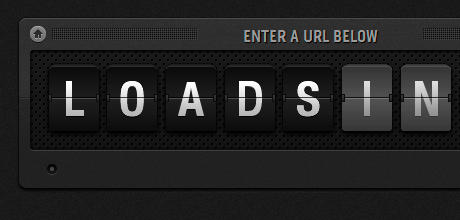
<p><strong>Loads.in</strong> is a simple and free website checker tool that checks how fast your website loads. It also has few useful functions. For instance, you can choose different countries and browsers for website load testing. Really handy and easy to use.    </p>
<p><a class="download-btn" href="http://loads.in/">Visit this link »</a></p>
]]></content:encoded>
			<wfw:commentRss>http://mazeofminds.com/882/loads-in/feed/</wfw:commentRss>
		<slash:comments>2</slash:comments>
		</item>
		<item>
		<title>TinyPNG &#8211; Advanced Lossy Compression for PNG Images</title>
		<link>http://mazeofminds.com/865/tinypng/</link>
		<comments>http://mazeofminds.com/865/tinypng/#comments</comments>
		<pubDate>Sun, 29 Jul 2012 12:10:24 +0000</pubDate>
		<dc:creator>Tomas</dc:creator>
				<category><![CDATA[Resources]]></category>
		<category><![CDATA[Free]]></category>

		<guid isPermaLink="false">http://mazeofminds.com/?p=865</guid>
		<description><![CDATA[<p>This website offers advanced PNG files compression. TinyPNG uses smart lossy compression techniques to reduce the file size of your PNG files. By selectively decreasing the number of colours in the image, fewer bytes are required to store the data. The effect is nearly invisible but it makes a very large difference in file size. </p> <p>TinyPNG will make your web page load faster. I used it few times and was pleased with results. </p> <p>Visit this link »</p>]]></description>
				<content:encoded><![CDATA[<div class="full-image"><img src="http://mazeofminds.com/wp-content/uploads/tinyPNG.png" alt="tinyPNG" title="tinyPNG" width="460" height="220" class="alignnone size-full wp-image-868" /></div>
<p>This website offers advanced PNG files compression. <strong>TinyPNG</strong> uses smart lossy compression techniques to reduce the file size of your PNG files. By selectively decreasing the number of colours in the image, fewer bytes are required to store the data. The effect is nearly invisible but it makes a very large difference in file size. </p>
<p>TinyPNG will make your web page load faster. I used it few times and was pleased with results.  </p>
<p><a class="download-btn" href="http://tinypng.org/">Visit this link »</a></p>
]]></content:encoded>
			<wfw:commentRss>http://mazeofminds.com/865/tinypng/feed/</wfw:commentRss>
		<slash:comments>2</slash:comments>
		</item>
		<item>
		<title>Jason Santa Maria &#8211; On Web Typography</title>
		<link>http://mazeofminds.com/844/jason-santa-maria-on-web-typography/</link>
		<comments>http://mazeofminds.com/844/jason-santa-maria-on-web-typography/#comments</comments>
		<pubDate>Sun, 29 Jul 2012 09:02:30 +0000</pubDate>
		<dc:creator>Tomas</dc:creator>
				<category><![CDATA[General]]></category>
		<category><![CDATA[Typography]]></category>

		<guid isPermaLink="false">http://mazeofminds.com/?p=844</guid>
		<description><![CDATA[<p></p> <p>In this Build talk, famous designer Jason Santa Maria teaches us to look at typefaces with a discerning eye, different approaches to typographic planning, how typography impacts the act of reading, and how to choose and combine appropriate typefaces from an aesthetic and technical point of view. A must-see video for all web designers.</p> <p>Also don&#8217;t forget to check other videos from Build talk on Vimeo.</p>]]></description>
				<content:encoded><![CDATA[<p><iframe src="http://player.vimeo.com/video/34178417" frameborder="0" width="450" height="280"></iframe></p>
<p>In this Build talk, famous designer <strong>Jason Santa Maria</strong> teaches us to look at typefaces with a discerning eye, different approaches to typographic planning, how typography impacts the act of reading, and how to choose and combine appropriate typefaces from an aesthetic and technical point of view. A must-see video for all web designers.</p>
<p><em>Also don&#8217;t forget to check other videos from Build talk on <a title="Build talk" href="http://vimeo.com/build">Vimeo</a>.</em></p>
]]></content:encoded>
			<wfw:commentRss>http://mazeofminds.com/844/jason-santa-maria-on-web-typography/feed/</wfw:commentRss>
		<slash:comments>0</slash:comments>
		</item>
		<item>
		<title>iconmonstr &#8211; Free Icons</title>
		<link>http://mazeofminds.com/824/iconmonstr-free-icons/</link>
		<comments>http://mazeofminds.com/824/iconmonstr-free-icons/#comments</comments>
		<pubDate>Sun, 29 Jul 2012 08:26:58 +0000</pubDate>
		<dc:creator>Tomas</dc:creator>
				<category><![CDATA[Resources]]></category>
		<category><![CDATA[Free]]></category>

		<guid isPermaLink="false">http://mazeofminds.com/?p=824</guid>
		<description><![CDATA[<p>iconmonstr is an awesome website that will give you beautiful and minimal icons for free. I am sure it will be very useful for your next web project. You can search icons by keywords and download the PNG and SVG files. Don&#8217;t forget to bookmark it.</p> <p>Visit this link »</p>]]></description>
				<content:encoded><![CDATA[<div class="full-image"><a href="http://mazeofminds.com/824/iconmonstr-free-icons/"><img class="alignnone size-full wp-image-825" title="iconmonstr" src="http://mazeofminds.com/wp-content/uploads/iconmonstr.jpg" alt="iconmonstr free icons" width="460" height="220" /></a></div>
<p><a title="iconmonstr Website" href="http://iconmonstr.com/" target="_blank"><strong>iconmonstr</strong></a> is an awesome website that will give you beautiful and minimal icons for free. I am sure it will be very useful for your next web project. You can search icons by keywords and download the PNG and SVG files. Don&#8217;t forget to bookmark it.</p>
<p><a class="download-btn" href="http://iconmonstr.com/">Visit this link »</a></p>
]]></content:encoded>
			<wfw:commentRss>http://mazeofminds.com/824/iconmonstr-free-icons/feed/</wfw:commentRss>
		<slash:comments>0</slash:comments>
		</item>
		<item>
		<title>CSS3Ps &#8211; Free Cloud Based Photoshop Plugin</title>
		<link>http://mazeofminds.com/802/css3ps-free-cloud-based-photoshop-plugin/</link>
		<comments>http://mazeofminds.com/802/css3ps-free-cloud-based-photoshop-plugin/#comments</comments>
		<pubDate>Tue, 24 Jul 2012 18:07:58 +0000</pubDate>
		<dc:creator>Tomas</dc:creator>
				<category><![CDATA[Resources]]></category>
		<category><![CDATA[CSS]]></category>
		<category><![CDATA[Free]]></category>

		<guid isPermaLink="false">http://mazeofminds.com/?p=802</guid>
		<description><![CDATA[<p>Few days ago I found this Photoshop plugin. The interesting part about this plugin is that it lets you convert your Photoshop layers to pure CSS3. I just used it for few days and so far I am happy with the results. You can download it from website http://css3ps.com/ for free. It supports Photoshop CS5 and CS6 versions.</p> <p>Visit this link » </p>]]></description>
				<content:encoded><![CDATA[<div class="full-image"><a href="http://mazeofminds.com/802/css3ps-free-cloud-based-photoshop-plugin/"><img class="alignnone size-full wp-image-811" title="CSS3Ps" src="http://mazeofminds.com/wp-content/uploads/PS+CSS3.png" alt="PS+CSS3" width="460" height="220" /></a></div>
<p>Few days ago I found this Photoshop plugin. The interesting part about this plugin is that it lets you convert your Photoshop layers to pure CSS3. I just used it for few days and so far I am happy with the results. You can download it from website <a title="CSS3Ps" href="http://css3ps.com/">http://css3ps.com/</a> for free. It supports Photoshop CS5 and CS6 versions.</p>
<p><a class="download-btn" href="http://css3ps.com/">Visit this link »</a> </p>
]]></content:encoded>
			<wfw:commentRss>http://mazeofminds.com/802/css3ps-free-cloud-based-photoshop-plugin/feed/</wfw:commentRss>
		<slash:comments>0</slash:comments>
		</item>
		<item>
		<title>Eye-Catching Navigation Menu with jQuery</title>
		<link>http://mazeofminds.com/744/eye-catching-navigation-menu-jquery/</link>
		<comments>http://mazeofminds.com/744/eye-catching-navigation-menu-jquery/#comments</comments>
		<pubDate>Mon, 09 Jan 2012 11:15:29 +0000</pubDate>
		<dc:creator>Asta</dc:creator>
				<category><![CDATA[Coding]]></category>
		<category><![CDATA[jQuery]]></category>

		<guid isPermaLink="false">http://mazeofminds.com/?p=744</guid>
		<description><![CDATA[<p>In this short tutorial we are going to build a nice and eye-catching animated navigation menu with the help of jQuery. We will need hoverIntent and BackgroundPosition jQuery plugins, as well as sprite image for our menu items.</p> <p>Source &#187; Demo &#187;</p> <p>Let&#8217;s start with the markup.</p> The Markup <p>To keep semantic code our menu is organized as a simple unordered list:</p> <p>Our list items will only be displaying images (with CSS sprite method) but we do not want to... <a href="http://mazeofminds.com/744/eye-catching-navigation-menu-jquery/" title="Continue Reading the Post" class="read-more-link"> Read more<span class="read-more-prep">&#8594;</span></a>]]></description>
				<content:encoded><![CDATA[<div class="full-image"><img src="http://mazeofminds.com/wp-content/uploads/jQuery_navigation_menu.png" alt="jQuery Navigation Menu" title="jQuery_navigation_menu" width="460" height="220" class="alignnone size-full wp-image-776" /></div>
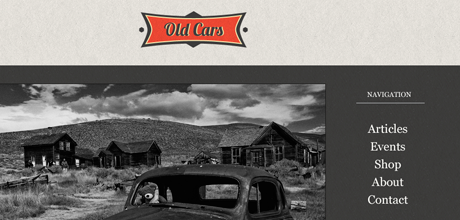
<p>In this short tutorial we are going to build a nice and eye-catching animated navigation menu with the help of jQuery. We will need <a href="http://cherne.net/brian/resources/jquery.hoverIntent.html" title="hoverIntent jQuery Plugin">hoverIntent</a> and <a href="http://archive.plugins.jquery.com/project/backgroundPosition-Effect" title="BackgroundPosition Plugin">BackgroundPosition</a> jQuery plugins, as well as sprite image for our menu items.<span id="more-744"></span></p>
<p><a class="download-btn" href="http://mazeofminds.com/wp-content/uploads/source_jquery_menu.zip">Source &raquo;</a> <a class="demo-btn" href="http://mazeofminds.com/demo/jquery-navigation-menu/">Demo &raquo;</a></p>
<p>Let&#8217;s start with the markup.</p>
<h3>The Markup</h3>
<p>To keep semantic code our menu is organized as a simple unordered list:</p>
<pre class="brush: xml; title: ; notranslate">&lt;ul&gt;
  &lt;li id=&quot;articles&quot;&gt;&lt;a href=&quot;#&quot;&gt;&lt;span&gt;Articles&lt;/span&gt;&lt;/a&gt;&lt;/li&gt;
  &lt;li id=&quot;events&quot;&gt;&lt;a href=&quot;#&quot;&gt;&lt;span&gt;Events&lt;/span&gt;&lt;/a&gt;&lt;/li&gt;
  &lt;li id=&quot;shop&quot;&gt;&lt;a href=&quot;#&quot;&gt;&lt;span&gt;Shop&lt;/span&gt;&lt;/a&gt;&lt;/li&gt;
  &lt;li id=&quot;about&quot;&gt;&lt;a href=&quot;#&quot;&gt;&lt;span&gt;About&lt;/span&gt;&lt;/a&gt;&lt;/li&gt;
  &lt;li id=&quot;contact&quot;&gt;&lt;a href=&quot;#&quot;&gt;&lt;span&gt;Contact&lt;/span&gt;&lt;/a&gt;&lt;/li&gt;
&lt;/ul&gt;</pre>
<p>Our list items will only be displaying images (with CSS sprite method) but we do not want to leave them blank because of search engines. So we add a span inside the anchor tag of each list item. We will hide those spans form the user&#8217;s view in our stylesheet. We also assign an <em>id</em> to each list item for later use in CSS and jQuery.</p>
<h3>The CSS</h3>
<p>We will use CSS sprite method for our menu items.</p>
<div class="full-image"><img src="http://mazeofminds.com/wp-content/uploads/744_sprite_image.jpg" alt="Sprite Image" title="744_sprite_image" width="460" height="294" class="alignnone size-full wp-image-756" /></div>
<p>We load a single background image for all of our menu items and then give individual ones their own coordinates. The <em>id</em> that we assigned to each list item earlier allows us to target each item individually.</p>
<pre class="brush: css; title: ; notranslate">ul { list-style: none; margin: 0 auto; }
ul li a { display: block; height: 42px; background: url(../images/nav.png) 0 0 no-repeat; }
#articles a { background-position: 0 0; }
#events a { background-position: 0 -42px; }
#shop a { background-position:0 -84px; }
#about a { background-position:0 -126px; }
#contact a { background-position:0 -168px; }</pre>
<p>Finally, let&#8217;s add some jQuery magic.</p>
<h3>The jQuery</h3>
<p>First, we include the latest version of jQuery library and necessary plugins in our html document:</p>
<pre class="brush: xml; title: ; notranslate">&lt;script type=&quot;text/javascript&quot; src=&quot;js/jquery-1.7.1.min.js&quot;&gt;&lt;/script&gt;
&lt;script type=&quot;text/javascript&quot; src=&quot;js/jquery.hoverIntent.minified.js&quot;&gt;&lt;/script&gt; 
&lt;script type=&quot;text/javascript&quot; src=&quot;js/jquery.backgroundPosition.js&quot;&gt;&lt;/script&gt;</pre>
<p><a href="http://cherne.net/brian/resources/jquery.hoverIntent.html" title="hoverIntent jQuery Plugin">hoverIntent</a> jQuery plugin attempts to determine the user&#8217;s intent. It was derived and works like jQuery&#8217;s built-in <a href="http://api.jquery.com/hover/" title="jQuery Hover">hover</a>. However, instead of immediately calling the onMouseOver function, it waits until the user&#8217;s mouse slows down enough before making the call. Thus it delays or prevents the accidental firing of animations.</p>
<p>The other jQuery plugin, <a href="http://archive.plugins.jquery.com/project/backgroundPosition-Effect" title="BackgroundPosition Plugin">BackgroundPosition</a>, adds the ability to do background-position animations since animating multi-value properties like <em>background-position</em> is not supported in jQuery by default.</p>
<p>Next when the document is loaded we call <em>hoverIntent</em> method on our menu items. As with jQuery built-in <em>hover</em>, we need to define two functions. First will execute when the mouse pointer enters the element and the second when the mouse pointer leaves the element.</p>
<p>When the mouse pointer enters menu item we animate the horizontal position of its background image to the left. We repeat animation for several times to create a nice bouncing effect. When the mouse pointer leaves menu item we return its background image to the original position and again we repeat animation for several times to achieve a bouncing effect.</p>
<pre class="brush: jscript; title: ; notranslate">$(document).ready(function(){
  $('li').hoverIntent(
    function(){
      navitem = $(this);
      if (navitem.attr('id')==='articles'){ypos1=0;}
      else if (navitem.attr('id')==='events'){ypos1=-42;}
      else if (navitem.attr('id')==='shop'){ypos1=-84;}
      else if (navitem.attr('id')==='about'){ypos1=-126;}
      else {ypos1=-168;}
      navitem.children('a').stop().animate(
      {backgroundPosition:'-150px '+ypos1+'px'}, 220, 
      function(){
        navitem.children('a').animate( 
        {backgroundPosition:'-137px '+ypos1+'px'}, 64, 
        function(){
          navitem.children('a').animate( 
          {backgroundPosition:'-140px '+ypos1+'px'}, 32);
        });
      });
    }, 
    function(){
      navitem2 = $(this);
      if (navitem2.attr('id')==='articles'){ypos2=0;}
      else if (navitem2.attr('id')==='events'){ypos2=-42;}
      else if (navitem2.attr('id')==='shop'){ypos2=-84;}
      else if (navitem2.attr('id')==='about'){ypos2=-126;}
      else {ypos2=-168;}
      navitem2.children('a').stop().animate( 
      {backgroundPosition:'6px '+ypos2+'px'}, 220, 
      function(){
        navitem2.children('a').animate( 
        {backgroundPosition:'-3px '+ypos2+'px'}, 64, 
        function(){
          navitem2.children('a').animate( 
          {backgroundPosition:'0 '+ypos2+'px'}, 32);
        });
      });
    }
  );
});</pre>
<p>By this point our animated navigation menu is finished. Feel free to modify it according to your needs and use it to spice up your own websites. :)</p>
<p><a href="http://twitter.com/MazeofMinds" title="Twitter">Follow us on Twitter</a>, or <a href="http://feeds.feedburner.com/MazeOfMinds" title="Subscribe to Articles Feed" class="rss">subscribe to MazeofMinds RSS Feed</a> for more tutorials and posts.</p>
]]></content:encoded>
			<wfw:commentRss>http://mazeofminds.com/744/eye-catching-navigation-menu-jquery/feed/</wfw:commentRss>
		<slash:comments>1</slash:comments>
		</item>
		<item>
		<title>Plugins, Templates &amp; Frameworks For Responsive Web Design</title>
		<link>http://mazeofminds.com/713/plugins-templates-frameworks-for-responsive-web-design/</link>
		<comments>http://mazeofminds.com/713/plugins-templates-frameworks-for-responsive-web-design/#comments</comments>
		<pubDate>Sat, 07 Jan 2012 16:26:15 +0000</pubDate>
		<dc:creator>Tomas</dc:creator>
				<category><![CDATA[Freebies]]></category>
		<category><![CDATA[Resources]]></category>
		<category><![CDATA[Free]]></category>
		<category><![CDATA[jQuery]]></category>

		<guid isPermaLink="false">http://mazeofminds.com/?p=713</guid>
		<description><![CDATA[<p>In this post you will find useful frameworks and plugins which will help you to build responsive websites faster.</p> jQuery Plugins Blueberry <p>Blueberry is an experimental opensource jQuery image slider plugin which has been written specifically to work with fluid/responsive web layouts.</p> Response JS <p>Response JS is a lightweight jQuery plugin that gives web designers tools for building performance-optimized, mobile-first responsive websites. It provides semantic ways to dynamically swap code blocks based on breakpoints and serve images (or other media)... <a href="http://mazeofminds.com/713/plugins-templates-frameworks-for-responsive-web-design/" title="Continue Reading the Post" class="read-more-link"> Read more<span class="read-more-prep">&#8594;</span></a>]]></description>
				<content:encoded><![CDATA[<p>In this post you will find useful frameworks and plugins which will help you to build responsive websites faster.<span id="more-713"></span></p>
<h3>jQuery Plugins</h3>
<div class="full-image"><a href="http://marktyrrell.com/labs/blueberry/"><img class="alignnone size-full wp-image-718" title="Blueberry" src="http://mazeofminds.com/wp-content/uploads/Blueberry.png" alt="Blueberry jQuery" width="460" height="220" /></a></div>
<h3><a title="The Semantic Grid System" href="http://marktyrrell.com/labs/blueberry/"><strong>Blueberry</strong></a></h3>
<p>Blueberry is an experimental opensource jQuery image slider plugin which has been written specifically to work with fluid/responsive web layouts.</p>
<div class="full-image"><a href="http://responsejs.com/"><img class="alignnone size-full wp-image-721" title="Response_Js" src="http://mazeofminds.com/wp-content/uploads/Response_Js.png" alt="Response.js" width="460" height="220" /></a></div>
<h3><a title="The Semantic Grid System" href="http://marktyrrell.com/labs/blueberry/"><strong>Response JS</strong></a></h3>
<p>Response JS is a lightweight jQuery plugin that gives web designers tools for building performance-optimized, mobile-first responsive websites. It provides semantic ways to dynamically swap code blocks based on breakpoints and serve images (or other media) progressively via HTML5 data attributes. Its object methods give developers hooks for triggering responsive actions and booleans for testing responsive properties.</p>
<div class="full-image"><a href="http://fittextjs.com/"><img class="alignnone size-full wp-image-723" title="FitText_Js" src="http://mazeofminds.com/wp-content/uploads/FitText_Js.png" alt="FitText.js" width="460" height="220" /></a></div>
<h3><a title="The Semantic Grid System" href="http://marktyrrell.com/labs/blueberry/"><strong>Fittext.js</strong></a></h3>
<p>FitText makes font-sizes flexible. Use this plugin on your fluid or responsive layout to achieve scalable headlines that fill the width of a parent element.</p>
<div class="full-image"><a href="http://fitvidsjs.com/"><img class="alignnone size-full wp-image-725" title="FitVids_Js" src="http://mazeofminds.com/wp-content/uploads/FitVids_Js.png" alt="FitVids.js" width="460" height="220" /></a></div>
<h3><a title="The Semantic Grid System" href="http://marktyrrell.com/labs/blueberry/"><strong>FitVids.js</strong></a></h3>
<p>A lightweight, easy-to-use jQuery plugin for fluid width video embeds.</p>
<h3>Templates &amp; Frameworks</h3>
<div class="full-image"><a href="http://stuffandnonsense.co.uk/projects/320andup/"><img class="alignnone size-full wp-image-727" title="320-and-up" src="http://mazeofminds.com/wp-content/uploads/320-and-up.png" alt="320 and Up" width="460" height="220" /></a></div>
<h3><a title="The Semantic Grid System" href="http://marktyrrell.com/labs/blueberry/"><strong>320 and Up</strong></a></h3>
<p>‘320 and Up’ starts with a tiny screen stylesheet that contains only reset, colour and typography styles. Media Queries then load assets and layout styles progressively and only as they’re needed. Think of this as responsible responsive design. ‘320 and Up’ is a device agnostic, one web boilerplate.</p>
<div class="full-image"><a href="http://www.amazium.co.uk/"><img class="alignnone size-full wp-image-729" title="Amazium" src="http://mazeofminds.com/wp-content/uploads/Amazium.png" alt="Amazium Framework " width="460" height="220" /></a></div>
<h3><a title="The Semantic Grid System" href="http://marktyrrell.com/labs/blueberry/"><strong>Amazium</strong></a></h3>
<p>Responsive framework based on 960 grid system.</p>
<div class="full-image"><a href="http://foundation.zurb.com/"><img class="alignnone size-full wp-image-730" title="Foundation" src="http://mazeofminds.com/wp-content/uploads/Foundation.png" alt="Foundation Zurb" width="460" height="220" /></a></div>
<h3><a title="The Semantic Grid System" href="http://marktyrrell.com/labs/blueberry/"><strong>Foundation</strong></a></h3>
<p>An easy to use, powerful, and flexible framework for building prototypes and production code on any kind of device.</p>
<div class="full-image"><a href="http://csswizardry.com/inuitcss/"><img class="alignnone size-full wp-image-732" title="inuit.css" src="http://mazeofminds.com/wp-content/uploads/inuit.css.png" alt="inuit css framework " width="460" height="220" /></a></div>
<h3><a title="The Semantic Grid System" href="http://marktyrrell.com/labs/blueberry/"><strong>Inuit.css</strong></a></h3>
<p>Inuit.css framework is built to work on smaller screens (such as tablets) and tiny screens (such as phones) straight out of the box with minimal effort.</p>
<div class="full-image"><a href="http://constellationtheme.com/"><img class="alignnone size-full wp-image-733" title="freamwork" src="http://mazeofminds.com/wp-content/uploads/freamwork.png" alt="Constellation WordPress Theme" width="460" height="220" /></a></div>
<h3><a title="The Semantic Grid System" href="http://marktyrrell.com/labs/blueberry/"><strong>The Constellation WordPress Theme</strong></a></h3>
<p>The Constellation theme is the perfect starting point for any WordPress project. It gives you the flexibility to provide bespoke styles for different devices, totally up-to-date HTML5 code which is fantastic for SEO, a flexible grid system on top of all the other goodness bundled in to the HTML5 boiler plate.</p>
<div class="full-image"><a href="http://themefortress.com/reverie/"><img class="alignnone size-full wp-image-734" title="Reverie" src="http://mazeofminds.com/wp-content/uploads/Reverie.png" alt="Reverie WordPress Theme" width="460" height="220" /></a></div>
<h3><a title="The Semantic Grid System" href="http://themefortress.com/reverie/"><strong>Reverie</strong></a></h3>
<p>Reverie Framework is an extremely versatile HTML5 WordPress framework based on ZURB&#8217;s Foundation, a powerful tool for building prototypes on any kind of devices.</p>
<div class="full-image"><a href="http://www.getskeleton.com/"><img class="alignnone size-full wp-image-735" title="Skeleton" src="http://mazeofminds.com/wp-content/uploads/Skeleton.png" alt="Skeleton Framework " width="460" height="220" /></a></div>
<h3><a title="The Semantic Grid System" href="http://www.getskeleton.com/"><strong>Skeleton</strong></a></h3>
<p>Skeleton is a small collection of CSS &amp; JS files that can help you rapidly develop sites that look beautiful at any size, be it a 17&#8243; laptop screen or an iPhone.</p>
<div class="full-image"><a href="http://thatcoolguy.github.com/gridless-boilerplate/"><img class="alignnone size-full wp-image-736" title="Gridless" src="http://mazeofminds.com/wp-content/uploads/Gridless1.png" alt="Gridless Boilerplate" width="460" height="220" /></a></div>
<h3><a title="The Semantic Grid System" href="http://www.getskeleton.com/"><strong>Gridless</strong></a></h3>
<p>Gridless is an optionated HTML5 and CSS3 boilerplate for making mobile first responsive, cross-browser websites with beautiful typography.</p>
<div class="full-image"><a href="http://simplegrid.info/"><img class="alignnone size-full wp-image-739" title="SimpleGrid" src="http://mazeofminds.com/wp-content/uploads/SimpleGrid.png" alt="Simple Grid" width="460" height="220" /></a></div>
<h3><a title="The Semantic Grid System" href="http://www.getskeleton.com/"><strong>Simple Grid</strong></a></h3>
<p>SG is prepared for 4 distinct ranges of screen size: screens 720px, screens 720px, screens than 985px, and screens than 1235px. This means that people visiting your site will receive a layout that&#8217;s tuned to the size of their browser window.</p>
<div class="full-image"><a href="http://cssgrid.net/"><img class="alignnone size-full wp-image-738" title="The-1140px-CSS-Grid-System" src="http://mazeofminds.com/wp-content/uploads/The-1140px-CSS-Grid-System.png" alt="The 1140px CSS Grid System" width="460" height="220" /></a></div>
<h3><a title="1140 CSS Grid" href="http://cssgrid.net/" target="_blank"><strong>The 1140 grid</strong></a></h3>
<p>The 1140 grid fits perfectly into a 1280 monitor. On smaller monitors it becomes fluid and adapts to the width of the browser.<br />
Beyond a certain point it uses media queries to serve up a mobile version, which essentially stacks all the columns on top of each other so the flow of information still makes sense.</p>
<div class="full-image"><a href="http://goldilocksapproach.com/"><img class="alignnone size-full wp-image-787" title="The Goldilocks Approach" src="http://mazeofminds.com/wp-content/uploads/The-Goldilocks-Approach.png" alt="CSS and HTML boilerplate" width="460" height="220" /></a></div>
<h3><a title="The Goldilocks Approach" href="http://goldilocksapproach.com/"><strong>The Goldilocks Approach</strong></a></h3>
<p>CSS and HTML boilerplate <strong>Goldilocks Approach</strong> uses a combination of Ems, Max-Width, Media Queries and Pattern Translations to consider just three states that allow your designs to be resolution independent.</p>
<div class="full-image"><a href="http://gridpak.com/"><img class="alignnone size-full wp-image-791" title="Gridpak - the responsive grid generator" src="http://mazeofminds.com/wp-content/uploads/Gridpak.png" alt="The Responsive Grid Generator" width="460" height="220" /></a></div>
<h3><a title="Gridpak" href="http://gridpak.com/"><strong>Gridpak &#8211; The Responsive Grid Generator</strong></a></h3>
<p><strong>Gridpak</strong> is the starting point for your responsive projects, improving your workflow and saving time. Create your responsive grid system once using the simple interface and let Gridpak do the heavy lifting by generating PNGs, CSS and JavaScript.</p>
<div class="full-image"><a href="http://www.designlunatic.com/projects/blucss/index.html"><img class="alignnone size-full wp-image-798" title="BluCSS" src="http://mazeofminds.com/wp-content/uploads/BluCSS.png" alt="BluCSS " width="460" height="220" /></a></div>
<h3><a title="Gridpak" href="http://www.designlunatic.com/projects/blucss/index.html"><strong>BluCSS</strong></a></h3>
<p><strong>BluCSS</strong> is a CSS framework designed with ease of use and simplicity in mind. It is specifically made so that when you&#8217;re working on your next project, you don&#8217;t have to worry about the essentials. With BluCSS, you can be up and running in less than a minute. One feature that stands out in this framework is responsive image functionality. Just apply any &#8220;blu_&#8221; class to an image, same as any other element, and the image will automatically be resized according to the browser width.</p>
]]></content:encoded>
			<wfw:commentRss>http://mazeofminds.com/713/plugins-templates-frameworks-for-responsive-web-design/feed/</wfw:commentRss>
		<slash:comments>0</slash:comments>
		</item>
		<item>
		<title>Thank You</title>
		<link>http://mazeofminds.com/682/thank-you/</link>
		<comments>http://mazeofminds.com/682/thank-you/#comments</comments>
		<pubDate>Fri, 30 Dec 2011 13:41:12 +0000</pubDate>
		<dc:creator>Tomas</dc:creator>
				<category><![CDATA[General]]></category>

		<guid isPermaLink="false">http://mazeofminds.com/?p=682</guid>
		<description><![CDATA[<p>We would like to thank everyone who is reading our blog and wish you a Happy New Year. This year we want to finish with the quote of Allan K. Chalmers:</p> <p>“The grand essentials of happiness are: something to do, something to love, and something to hope for.”</p> <p>See you in 2012!</p>]]></description>
				<content:encoded><![CDATA[<div class="full-image"><img class="alignnone size-full wp-image-683" title="Happy_2012" src="http://mazeofminds.com/wp-content/uploads/Happy_2012.png" alt="Happy New Year " width="460" height="220" /></div>
<p>We would like to thank everyone who is reading our blog and wish you a <strong>Happy New Year</strong>.<br />
This year we want to finish with the quote of Allan K. Chalmers:</p>
<blockquote><p>“The grand essentials of happiness are: something to do, something to love, and something to hope for.”</p></blockquote>
<p><strong>See you in 2012!</strong></p>
]]></content:encoded>
			<wfw:commentRss>http://mazeofminds.com/682/thank-you/feed/</wfw:commentRss>
		<slash:comments>0</slash:comments>
		</item>
		<item>
		<title>How to Set a Custom Gravatar Image in WordPress</title>
		<link>http://mazeofminds.com/660/how-to-set-custom-gravatar-in-wordpress/</link>
		<comments>http://mazeofminds.com/660/how-to-set-custom-gravatar-in-wordpress/#comments</comments>
		<pubDate>Fri, 23 Sep 2011 14:53:30 +0000</pubDate>
		<dc:creator>Asta</dc:creator>
				<category><![CDATA[Coding]]></category>
		<category><![CDATA[WordPress]]></category>

		<guid isPermaLink="false">http://mazeofminds.com/?p=660</guid>
		<description><![CDATA[<p>Nearly every blog shows avatars next to the visitors&#8217; comments. They add some variety between different comments and make the discussion more personal. Since version 2.5 WordPress has Gravatars built-in and you don&#8217;t need any additional plugin for basic usage and management. If the visitor&#8217;s email address has no associated gravatar, the default gravatar image is displayed. I probably won&#8217;t be wrong to say that &#8220;Mystery Man&#8221; is the most popular one from the defaults since it is suitable for... <a href="http://mazeofminds.com/660/how-to-set-custom-gravatar-in-wordpress/" title="Continue Reading the Post" class="read-more-link"> Read more<span class="read-more-prep">&#8594;</span></a>]]></description>
				<content:encoded><![CDATA[<div class="full-image"><img src="http://mazeofminds.com/wp-content/uploads/custom_gravatar.jpg" alt="" title="custom_gravatar" width="460" height="220" class="alignnone size-full wp-image-673" /></div>
<p>Nearly every blog shows avatars next to the visitors&#8217; comments. They add some variety between different comments and make the discussion more personal. Since version 2.5 WordPress has Gravatars built-in and you don&#8217;t need any additional plugin for basic usage and management. If the visitor&#8217;s email address has no associated gravatar, the default gravatar image is displayed. I probably won&#8217;t be wrong to say that &#8220;Mystery Man&#8221; is the most popular one from the defaults since it is suitable for most audiences and looks professional. However, it is used in so many blogs and it doesn&#8217;t add any uniquenes or help you to brand your blog more. So why not to change the default gravatar to something more personal especially when you can do it only with a few extra lines of code. In this quick and simple tutorial I will show you how to do this.<span id="more-660"></span></p>
<p>First, open the <code>functions.php</code> file in your active theme directory. If there&#8217;s no such file, then create it. Then add this piece of code:</p>
<pre class="brush: php; title: ; notranslate">&lt;?php
function my_custom_gravatar($avatar_defaults) {
    $my_avatar = get_template_directory_uri() . '/images/my_avatar.png';
    $avatar_defaults[$my_avatar] = 'My Custom Gravatar';
    return $avatar_defaults;
}
add_filter('avatar_defaults','my_custom_gravatar');
?&gt;</pre>
<p>The location of your custom avatar image file is specified in the first line inside the function <code>my_custom_gravatar</code>. Change it according to your needs. The title <code>My Custom Gravatar</code> defined in the second line inside the function will be displayed next to your custom avatar image in WordPress backend. Change it to whatever you want.</p>
<p>After this a new option in the WordPress backend under Settings &rarr; Discussion will appear:</p>
<div class="full-image"><img src="http://mazeofminds.com/wp-content/uploads/default_gravatars.png" alt="Default Gravatars" title="Default Gravatars" width="460" height="320" class="alignnone size-full wp-image-676" /></div>
<p>Click on it, save the changes and from now on your custom avatar will appear next to the comments left by visitors without a Gravatar.</p>
<p>I hope you enjoyed this simple tutorial and find it useful!</p>
<p><a href="http://twitter.com/MazeofMinds" title="Twitter">Follow us on Twitter</a>, or <a href="http://feeds.feedburner.com/MazeOfMinds" title="Subscribe to Articles Feed" class="rss">subscribe to MazeofMinds RSS Feed</a> for more tutorials and posts.</p>
]]></content:encoded>
			<wfw:commentRss>http://mazeofminds.com/660/how-to-set-custom-gravatar-in-wordpress/feed/</wfw:commentRss>
		<slash:comments>0</slash:comments>
		</item>
	</channel>
</rss>